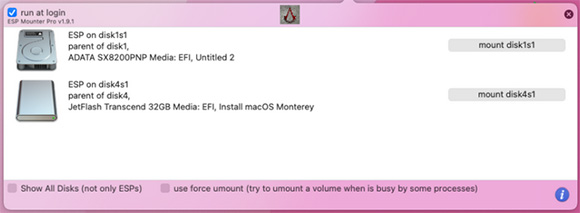
ESP Mounter Pro
1.9.1ESP Mounter Pro for Mac, Mount or unmount the EFI partitions attached to each of your volumes form the comfort of your status bar, and effortlessly open them in the Finder
ESP Mounter Pro Main Features:
ESP Mounter Pro is the best mounting program we have found and supports the Preboot, Recovery, and VM partitions as well. With its new minimalist top bar that resides in the status bar area and offers you the ability to easily mount the EFI System Partitions associated with storage devices that are using the Unified Extensible Firmware Interface (UEFI).ESP Mounter Pro Upon launch, ESP Mounter Pro places a small menulet in your status bar, where you get to see the complete list of volumes connected to your computer. Note that once you activate the ESP Mounter Pro panel, it remains visible and on top of all other windows until you click your mouse again anywhere on the window.
ESP Mounter Pro Similar Applications:
EFI partition is hidden on macOS, so if you may want to view or mount this EFI partition, youneed to have access to the EFI partition in order to copy or edit the EFI folder. Below is a list of EFI partition mounter for macOS that we can use to mount the EFI partition on macOS.MountEFI was built by corpnewt, the same guy that active on OpenCore boot loader development. MountEFI provides a simple way (command line) to mount the EFI partition. It does not have the GUI but it is pretty simple.
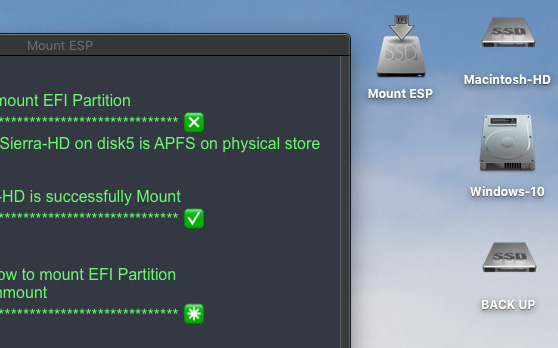
Mount ESP is another tools for mounting EFI partition that is working for HFS+J, APFS. NTFS on real Mac and Hackintosh
EFI Mounter allows us to mount EFI partition on macOS. It comes with a simple window that shows all the disks connected to our Mac or Hackintosh. To mount an EFI partition, simply select the disk from the list and then press OK
You can also manually use the Terminal with some commands to mount the EFI partition:
- Open Terminal and then list the disk with this command:
(diskutil list)
- Make a mount point (sudo mkdir /Volume/EFI_mount)
- No mount the EFI partition:
(sudo mount -t msdos /dev/disk1s1 /Volume/EFI_mount)
- And that is all you need!
Conclusion
To conclude ESP Mounter Pro works on Mac operating system and can be easily downloaded using the below download link according to Freeware license. The download file is only 8.8 MB in size.ESP Mounter Pro was filed under the System category and was reviewed in softlookup.com and receive 5/5 Score.
ESP Mounter Pro has been tested by our team against viruses, spyware, adware, trojan, backdoors and was found to be 100% clean. We will recheck ESP Mounter Pro when updated to assure that it remains clean.
ESP Mounter Pro user Review
Please review ESP Mounter Pro application and submit your comments below. We will collect all comments in an effort to determine whether the ESP Mounter Pro software is reliable, perform as expected and deliver the promised features and functionalities.Popularity 10/10 - Downloads - 10346 - Score - 5/5
| Category: | System |
| Publisher: | InsanelyMac |
| Last Updated: | 07/10/2023 |
| Requirements: | OS X 10.9 or later |
| License: | Freeware |
| Operating system: | Mac |
| Hits: | 21032 |
| File size: | 8.8 MB |
| Price: | Not specified |
| Name: * |
E-Mail: * |
| Comment: * |
|